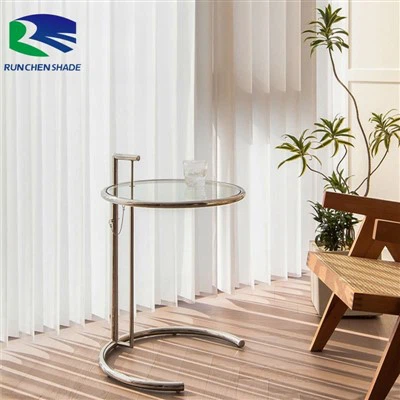
Motorized indoor sunscreen blinds are a popular choice for modern homes and offices, offering convenience, energy efficiency, and aesthetic appeal. As a leading supplier of [link text="Modern Home Decor Motorized Sunscreen Blinds" url="/finished-blinds/sunscreen-blinds/modern-home-decor-motorized-sunscreen-blinds.html"], [link text="New Fashion Motorized Sunscreen Blinds" url="/finished-blinds/sunscreen-blinds/new-fashion-motorized-sunscreen-blinds.html"], and [link text="Motorized Wifi Window Sunscreen Blinds" url="/finished-blinds/sunscreen-blinds/motorized-wifi-window-sunscreen-blinds.html"], we understand the importance of ensuring these blinds function properly. In this blog post, we'll share some troubleshooting tips to help you address common issues with motorized indoor sunscreen blinds.
Power and Connectivity Issues
One of the most common problems with motorized blinds is related to power and connectivity. Here are some steps to troubleshoot these issues:
Check the Power Source
First, ensure that the blinds are properly connected to a power source. If your blinds are battery-powered, check the batteries to see if they need to be replaced. Low battery levels can cause the motor to malfunction or stop working altogether. If your blinds are hardwired, check the circuit breaker or fuse box to make sure the power supply is not interrupted.
Inspect the Remote Control or Smart Device
If you're using a remote control or a smart device to operate the blinds, make sure it's working correctly. Check the batteries in the remote control and ensure that it's within range of the blinds. If you're using a smart device, make sure it's connected to the same Wi-Fi network as the blinds and that the app is up-to-date. You may also need to re-pair the remote control or smart device with the blinds. Refer to the user manual for instructions on how to do this.
Check the Motor and Wiring
If the power source and remote control are working properly, the issue may be with the motor or wiring. Inspect the motor for any signs of damage or overheating. If the motor is hot to the touch, it may be overloaded or malfunctioning. In this case, you may need to contact a professional technician to repair or replace the motor. Check the wiring connections to make sure they're secure and not damaged. Loose or damaged wiring can cause the motor to stop working or operate erratically.
Movement and Alignment Issues
Another common problem with motorized blinds is related to movement and alignment. Here are some steps to troubleshoot these issues:
Check for Obstructions
If the blinds are not moving smoothly or getting stuck, there may be an obstruction in the track or mechanism. Inspect the track for any debris, such as dust, dirt, or small objects, and remove it carefully. Make sure the blinds are not rubbing against the window frame or any other objects that could impede their movement.
Adjust the Alignment
If the blinds are not aligning properly, they may need to be adjusted. Most motorized blinds have adjustable brackets or mounting hardware that allows you to fine-tune their position. Refer to the user manual for instructions on how to adjust the alignment of the blinds. You may need to loosen the mounting screws slightly and reposition the blinds until they are straight and level.
Lubricate the Moving Parts
Over time, the moving parts of the blinds, such as the track and the motor, may become dry and start to make noise or operate less smoothly. Lubricating these parts can help reduce friction and improve their performance. Use a silicone-based lubricant to lubricate the track and any other moving parts. Avoid using oil-based lubricants, as they can attract dust and dirt and cause more problems.
Noise and Vibration Issues
Excessive noise or vibration when the blinds are operating can be annoying and may indicate a problem. Here are some steps to troubleshoot these issues:
Tighten the Mounting Hardware
Loose mounting hardware can cause the blinds to vibrate and make noise. Check all the screws and bolts that hold the blinds in place and tighten them if necessary. Make sure the brackets are securely attached to the window frame or wall.
Inspect the Motor and Mechanism
The motor and mechanism of the blinds may also be the source of the noise or vibration. Inspect the motor for any loose parts or signs of damage. If the motor is making a loud or unusual noise, it may be malfunctioning and need to be replaced. Check the gears and other moving parts of the mechanism to make sure they're not worn out or damaged.
Add Padding or Dampeners
If the noise is coming from the blinds rubbing against the window frame or other surfaces, you can try adding padding or dampeners to reduce the noise. You can use felt pads or rubber strips to line the edges of the window frame or the track to absorb the vibrations and reduce the noise.


Software and Firmware Issues
If your motorized blinds are connected to a smart device or a home automation system, you may encounter software or firmware issues. Here are some steps to troubleshoot these issues:
Update the Firmware
Manufacturers often release firmware updates to improve the performance and functionality of their motorized blinds. Check the manufacturer's website or the app for your blinds to see if there are any available firmware updates. Follow the instructions provided to install the updates.
Reset the Blinds and Smart Device
If you're experiencing issues with the smart functionality of the blinds, try resetting both the blinds and the smart device. This can often resolve software glitches and connectivity issues. Refer to the user manual for instructions on how to reset the blinds and the smart device. After resetting, re-pair the blinds with the smart device and test the functionality.
Contact Technical Support
If you've tried all the troubleshooting steps above and are still experiencing issues with your motorized blinds, it may be time to contact the manufacturer's technical support. Provide them with detailed information about the problem, including the model number of the blinds, the symptoms you're experiencing, and the steps you've already taken to troubleshoot the issue. They may be able to provide you with further assistance or arrange for a technician to come and repair the blinds.
When to Call a Professional
While many issues with motorized indoor sunscreen blinds can be resolved through DIY troubleshooting, there are some situations where it's best to call a professional. Here are some signs that you should seek professional help:
- The motor is making a loud or unusual noise, or it's overheating.
- There is visible damage to the motor, wiring, or other components of the blinds.
- You're unable to resolve the issue after following the troubleshooting steps in the user manual.
- You're not comfortable working with electrical components or mechanical parts.
A professional technician will have the expertise and tools to diagnose and repair the problem safely and effectively.
Conclusion
Motorized indoor sunscreen blinds offer many benefits, but like any electronic device, they can sometimes experience problems. By following the troubleshooting tips outlined in this blog post, you can often resolve common issues with your blinds on your own. However, if you're unable to fix the problem or if you're unsure about how to proceed, don't hesitate to contact a professional.
As a supplier of high-quality motorized indoor sunscreen blinds, we're committed to providing our customers with the best products and support. If you're interested in purchasing our [link text="Modern Home Decor Motorized Sunscreen Blinds" url="/finished-blinds/sunscreen-blinds/modern-home-decor-motorized-sunscreen-blinds.html"], [link text="New Fashion Motorized Sunscreen Blinds" url="/finished-blinds/sunscreen-blinds/new-fashion-motorized-sunscreen-blinds.html"], or [link text="Motorized Wifi Window Sunscreen Blinds" url="/finished-blinds/sunscreen-blinds/motorized-wifi-window-sunscreen-blinds.html"], or if you have any questions or need further assistance, please feel free to contact us. We look forward to helping you enhance your home or office with our innovative and reliable motorized blinds.
References
- Manufacturer's user manuals for motorized indoor sunscreen blinds
- Industry best practices for troubleshooting motorized window treatments